Here’s how to select target companies and leverage the Similarity feature in Vehnta to create high-quality B2B audiences, even in markets you don’t know.
1. Purpose of Company Matching
Company Matching allows you to define exact companies you want to target with your Ads. Unlike standard keyword targeting, this ensures your campaigns are shown to specific decision-makers in selected companies.
Key Points:
- You can target companies in your CRM or known businesses.
- This is crucial for B2B campaigns where lead quality matters more than volume.
- Country of the company is independent of the campaign country; this enables international expansion.
Example:
- Company model: Fiat (Italy)
- Campaign target country: Brazil
- The software will find similar automotive companies in Brazil using the Similarity algorithm.
2. Step-by-Step Company Matching
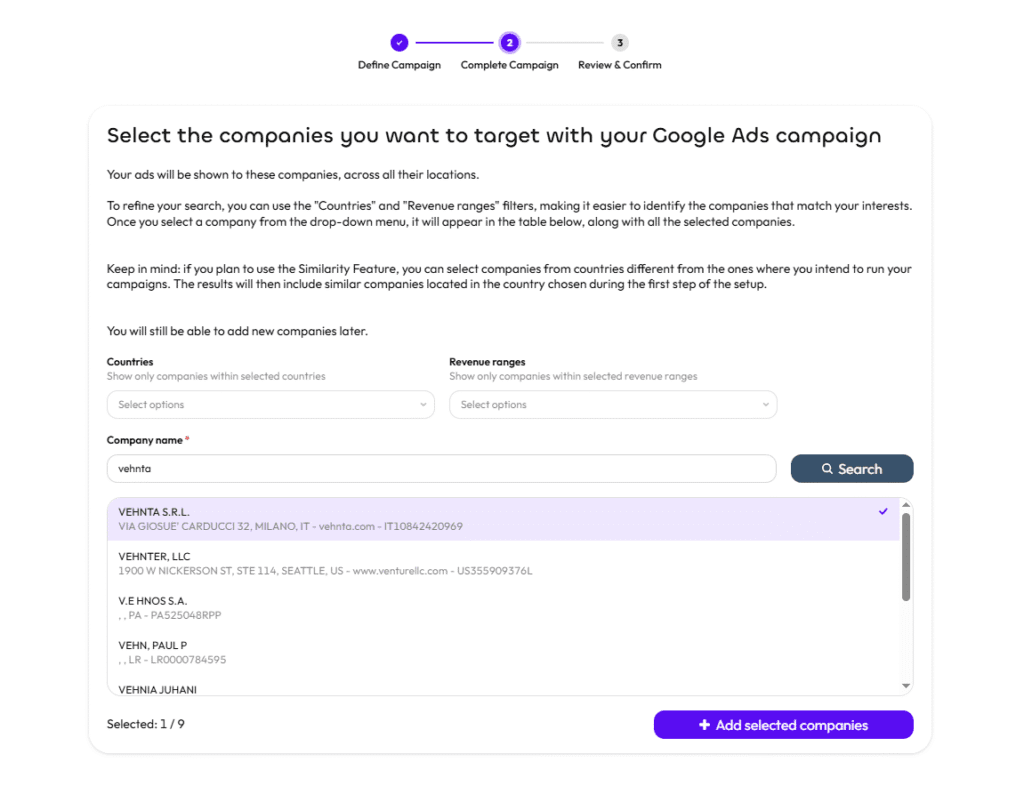
Step 2.1: Select Companies
- Open the Company panel in Vehnta.
- Search for companies by name.
- Add them to the Selected Companies table.
- Use filters:
- Country → Shows companies in specific countries.
- Revenue Range → Filters companies by economic size.
Tip: Start with companies you know well to improve the quality of Similarity results.
Step 2.2: Enable Similarity
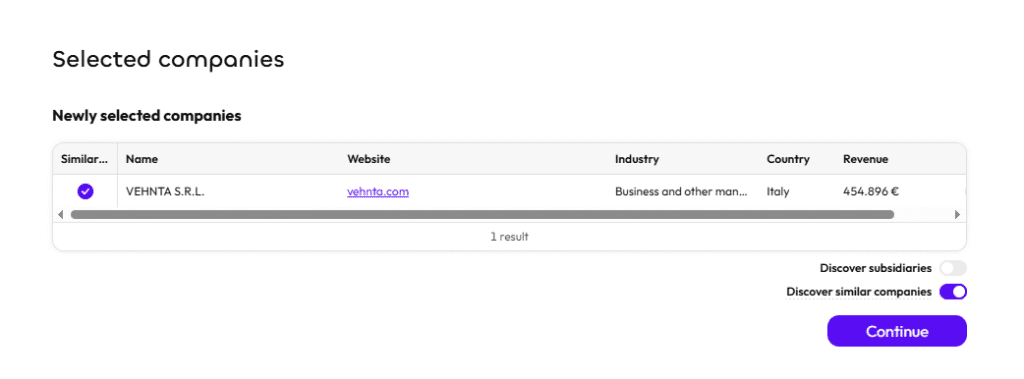
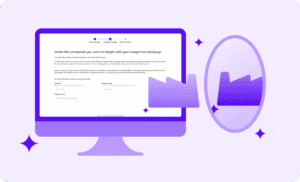
- Click “Similarity” for each company you want to expand.
- Purpose: find companies similar to your model company in the target campaign country.
- Important: always check the Industry parameter; the declared industry may not fully reflect market reality.
3. Advanced Similarity Options
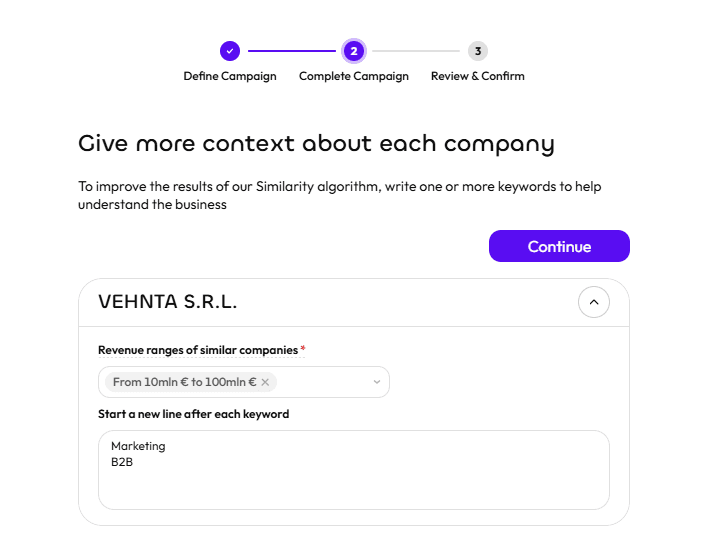
3.1 Give More Context About Each Company
- Add keywords describing the company’s business.
- Each keyword should be on a separate line.
- Example for Vehnta:
- B2B Google Ads
- Google Ads Optimization
- Google Ads AI Targeting
Benefit: Improves the algorithm’s understanding, producing more relevant matches in the target country.
3.2 Revenue Ranges of Similar Companies
- Filter suggested companies by size or revenue, aligning them with your model company.
- Tip: Ensures you target companies of similar scale, avoiding too small or too large organizations.
4. Example Flow: International B2B Expansion
Scenario: You want to run a campaign in Brazil but don’t know local companies.
- Select known companies in your country (eg. Italy):
- Example: Fiat.
- Enable Similarity.
- Add descriptive keywords for each company.
- Select appropriate revenue ranges.
- Set the campaign target country (Brazil).
- Review suggested companies in Brazil:
- Example: Automotive manufacturers in Brazil similar to Fiat.
- Decide which companies to include or exclude:
- Use No Similarity if you want to target the original company only.
Outcome: You now have a qualified, locally relevant B2B audience in a market you want to explore.
5. Best Practices & Tips
- Select Accurate Model Companies
- The quality of Similarity results depends on how representative your original company is.
- Provide Rich Context
- Use specific keywords to describe products, services, and market positioning.
- Check Industry & Revenue
- Mismatched industry or revenue range can produce irrelevant leads.
- Test vs. Manual Selection
- Run parallel campaigns: one with manual target companies, one using Similarity, to compare lead quality.
- Use for Market Expansion
- Ideal for testing campaigns in foreign markets where local company knowledge is limited.
- Review Subsidiaries
- Similarity may suggest subsidiaries; evaluate if they fit your target profile.
6. Common Mistakes to Avoid
- Using Similarity without adding context keywords → may generate irrelevant results.
- Selecting companies with the wrong Industry → leads to low-quality matches.
- Ignoring revenue filters → may target companies that cannot afford your solution.
- Not reviewing the suggested companies before campaign launch → can waste budget.
This approach ensures your campaigns are laser-focused on high-value B2B prospects, even in international markets you have never previously targeted.